Component Manufacturing Line
Barcode + G160 Smart Upgrade
A capacitor component manufacturer (top 3 in the industry) with a production line of 20+ process stages, some stages PLC-controlled. Original flow: workers took work orders daily and manually entered 5-6 parameters at the HMI, then executed. After the entire line moved to Vietnam, Vietnamese workers performed the same operation, but the manual-input error rate rose, causing final line yield to drop and affecting output and cost. With a 1D barcode scanner + AIS-G160 retrofit, scan-to-report, MES validation, scan work order, parameters automatically written to PLC, and workers only verify.
Core solution for this case
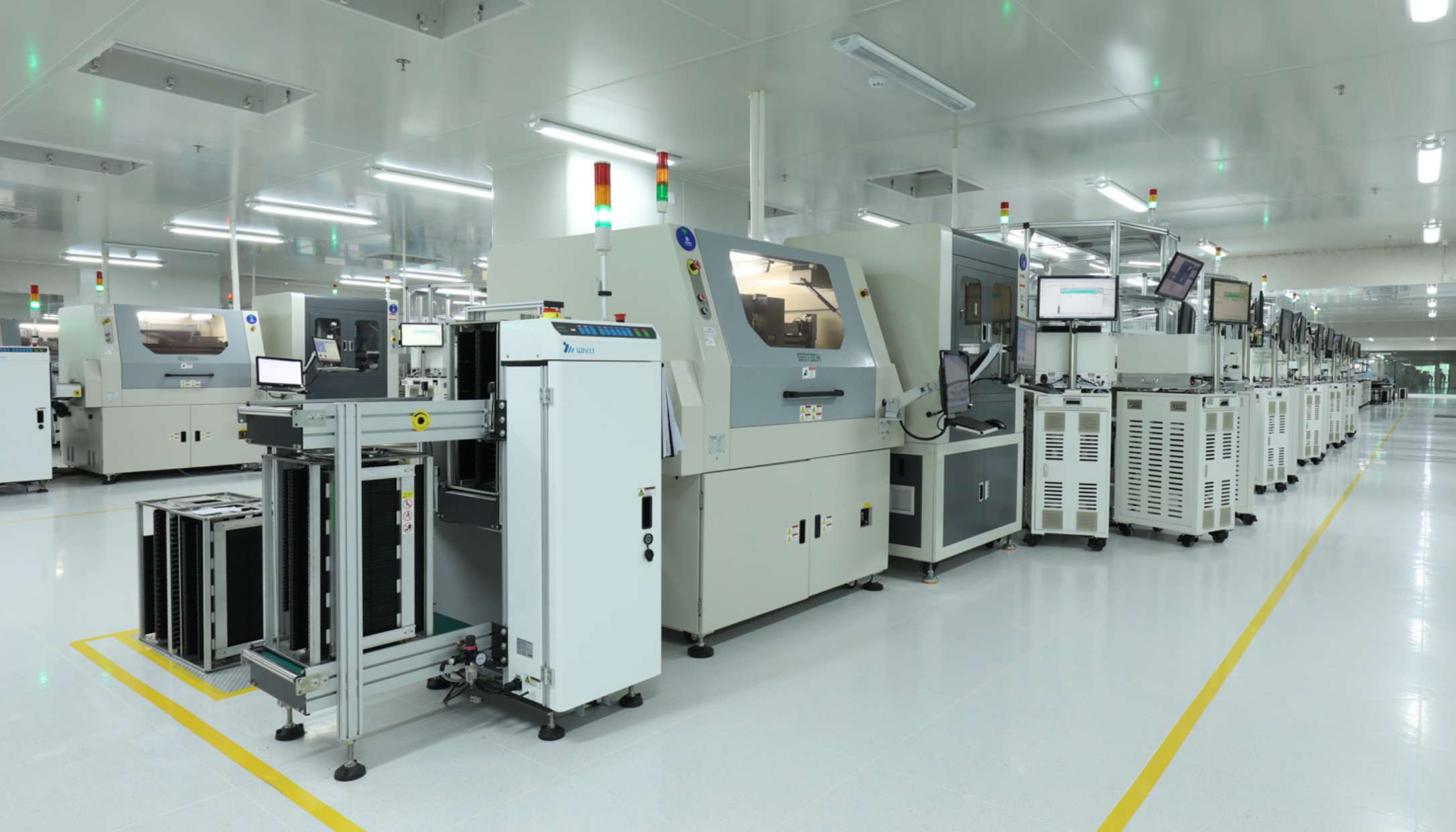
I. Customer Background
A top-3 capacitor component manufacturer organizing multi-process production with "PLC-controlled equipment + manual HMI input".
- The customer is a capacitor component manufacturer (top 3 in the industry); the production line consists of more than 20 process stages, some of which are PLC-controlled - a typical "PLC + HMI" production operation mode.
- The original line ran on the mainland; workers took work orders daily and, according to the process parameters corresponding to the work order, manually entered 5-6 parameters at the HMI, then executed after confirmation.
- Later the entire line was relocated to Vietnam, with Vietnamese workers performing the same operation flow. The manual-input mode was copied as-is, but under the new employment environment, the input error rate rose significantly.
II. Core Pain Points
Manual parameter entry at HMI against work orders is the hidden source of yield fluctuation.
- Manual input, errors hard to avoid: 5-6 parameters per work order; workers key in one by one against the work order at the HMI. Fatigue, language and proficiency all introduce errors - "wrong line read, wrong position entered, item omitted" happen from time to time.
- Higher error rate and lower yield after relocation: After the line moved to Vietnam, Vietnamese workers performed the same manual-input flow, but the error rate rose, causing the final line yield to drop, directly affecting output and manufacturing cost.
- Errors found late, high cost: Wrong parameter entry is often exposed only at later-stage QC, by which time rework or scrap has occurred, and it is hard to accurately trace back to specific work order and shift, expanding losses.
- No permission and work-order closed loop: Manual input cannot associate "who operated, which work order, what parameters used" with MES; the process is untraceable, and problems can only be investigated afterwards.
III. Why Traditional Approaches Fail
Adding people, modifying PLC, replacing the whole line - all hard to balance "fast, low-risk, replicable".
- Adding review personnel, treats symptom not root: Adding another person to review input doubles labor cost but still relies on people; error rate cannot reach zero, and local labor after relocation is equally unstable.
- Modifying PLC / HMI programs, high risk and cycle: Directly changing PLC logic or HMI screens requires coordinating the equipment vendor, long cycle, high cost, and may disturb the existing mature process; the customer is unwilling to take this risk.
- Whole-line automation retrofit, high capital expenditure: Unrealistic for a customer who "has relocated and seeks quick relief" - large investment, long downtime, far water cannot save near fire.
IV. Solution: Scanner + AIS-G160
Replace "manual key-in" with "scan validation + automatic PLC parameter write"; workers switch from input to verification.
- Add 1D barcode scanner + AIS-G160: Install a 1D barcode scanner next to the PLC-controlled equipment; the scanner connects to G160 via serial (RS232); G160 connects to MES via Ethernet, undertaking edge-side protocol conversion and data forwarding.
- Scan to report (identity & permission validation): When starting work, the worker first scans their ID barcode with the scanner; the scanner reads it and passes it to G160 via serial; G160 reports to MES, which confirms the worker's report and operation permission, preventing unauthorized operation.
- Scan work order (work-order validation): The worker then scans the 1D barcode on the work order; the scanner reads it and passes it to G160; G160 reports to MES, which confirms the work-order number and corresponding process parameters, binding this operation.
- MES issues parameters -> G160 writes PLC: MES issues the work order's process parameters to G160; G160 directly writes them to the corresponding PLC register addresses; parameters are displayed on the HMI in real time - no manual key-in throughout.
- Worker verifies and executes: The worker sees the written parameters on the HMI and compares them with the work order; after confirmation, executes. Workers only "verify", no longer "input" - input errors are eliminated at the source.
V. Value Comparison & Results
Upgrade from "manual key-in of 5-6 parameters" to a closed loop of "scan validation + automatic write + manual verification".
| Comparison | Original Manual HMI Input | Scanner + G160 Smart Upgrade |
|---|---|---|
| Parameter entry | Worker manually keys in 5-6 items against work order | Scan auto-writes to PLC registers; no manual key-in |
| Error source | Errors from fatigue / language / proficiency | Parameters uniquely issued by MES per work order; single source |
| Permission & work order | No association; process untraceable | Scan report + work-order bound to MES; who operated which work order traceable |
| Yield impact | Input error -> exposed later -> yield drop | Zero input errors -> yield recovers; rework/scrap down |
| Relocation adaptation | Depends on local worker proficiency; errors fluctuate with labor | Standardized process; not dependent on worker proficiency; quickly replicable |
| Traceability audit | Hard to locate specific work order and shift | MES full logging; work order / parameters / operation auditable |
VI. Why AIS-G160
The three capabilities "serial in, Ethernet out, register write" exactly match all demands of the scan-input retrofit.
- Serial + Ethernet dual interface: The 1D barcode scanner comes in via serial, MES goes out via Ethernet; G160 performs protocol conversion and forwarding at the edge; on-site wiring is simple, plug-and-play.
- Direct PLC register write: Writes parameters to the corresponding PLC register addresses, real-time to HMI, without modifying the PLC original program and HMI screens - low retrofit risk, fast results.
- Complete protocols: Built-in 500+ industrial protocols covering mainstream PLC (Siemens, Mitsubishi, OMRON, Delta, Inovance, etc.); the PLC-controlled equipment in this case is connected out-of-the-box, no per-brand development.
- Add-on, replicable: Without touching the original process logic, new bases after relocation only need to deploy the same "scanner + G160" and link MES to replicate; low capital expenditure, short deployment cycle.
VII. FAQ
High-frequency questions about "scanner + G160 replacing manual HMI input".
Does G160 need to modify the original PLC or HMI program?
No. G160 connects directly to the PLC via standard protocol, writing parameters to the corresponding register addresses; the HMI displays the written values as-is, without changing existing logic and screens - extremely low retrofit risk.
How does the scanner connect to G160?
The 1D barcode scanner connects to G160 via serial (RS232); G160 performs serial data parsing and forwarding; the Ethernet side connects to MES; scan data is uploaded via G160, with MES performing identity and work-order validation.
What if parameters are written wrong?
Parameters are uniquely issued by MES per work order; after writing, the HMI displays them in real time; the worker verifies and confirms before execution; manual key-in errors are eliminated at the source, and every step is logged and traceable by MES for audit.
Can the line relocated to Vietnam be directly replicated?
Yes. This solution is add-on and standardized, not dependent on local worker proficiency; the new plant only needs to deploy the same "scanner + G160" and link MES to replicate the same error-proofing effect.
Which PLC brands are supported?
The PLC-controlled equipment in this case covers mainstream brands, all verified supported by AIS-G160. See the "Device Compatibility" list on this page (Siemens, Mitsubishi, OMRON, Delta, Inovance, etc.).
VIII. PLC Brands & Models Supported by G160
This case centers on G160 acquiring multi-brand PLC. AIS-G160 has a built-in library of 500+ industrial device protocol drivers. The following are mainstream PLC brands and models verified for data acquisition (some models require on-site interface confirmation), serving as a basis for solution selection and field verification.
| Manufacturer / Brand | Typical Series & Models | Comms | Protocol / Driver |
|---|---|---|---|
| Siemens | S7-200 (PPI), S7-300/400 (MPI), S7-200 Smart, S7-1200, S7-1500, LOGO! | Serial / Ethernet | S7 PPI, MPI, S7comm, Modbus TCP |
| Mitsubishi | FX0/FX1/FX2, FX3U/3G, Q series (Q00J/Q00/Q02/Q02H/Q06H/Q12H/Q25H, QnU Q00U~Q26U, QnA/A series), FX3U-ENET, FX5U, QJ71E71 | Serial / Ethernet | Mitsubishi MC, MELSEC, SLMP |
| Rockwell AB | Micro800 | Ethernet | EtherNet/IP |
| LS Electric | XGT, XGB, XBC-DN32U | Serial / Ethernet | Proprietary protocol |
| Modbus (Modicon) | Standard Modbus devices | Serial / Ethernet | Modbus RTU / ASCII / TCP / RTU over TCP |
| Schneider | Full series | Serial / Ethernet | Modbus RTU / TCP |
| HollySys | LE/LK220, LK210 | Serial / Ethernet | Modbus RTU |
| THINGET (Xinje) | XD/XL, XC | Serial / Ethernet | Modbus TCP |
| Inovance | H1U/H2U, H3U, H5U | Serial / Ethernet | Modbus |
| OMRON | CJ/CS, CV, CP | Serial / Ethernet | OMRON FINS, Ethernet TCP |
| FATEK | Full series | Serial / Ethernet | Proprietary protocol |
| Delta | DVP, AS228T | Serial / Ethernet | Modbus RTU / TCP |
| Panasonic | FPX, FP | Serial / Ethernet | MEWTOCOL_COM |
| Haiwell | Full series | Serial | Modbus RTU / ASCII |
| Kewei | LP series | Serial | Modbus RTU / Private protocol |
| OPC UA | Software / devices supporting OPC UA | Ethernet | OPC UA |
Related Scenarios & Products
SMT / Electronics
Equipment status, parameters, fault & event alarm log parsing acquisition
→ View Scenario